
NOTES
You're Using AI Wrong
Stop prompting and start building
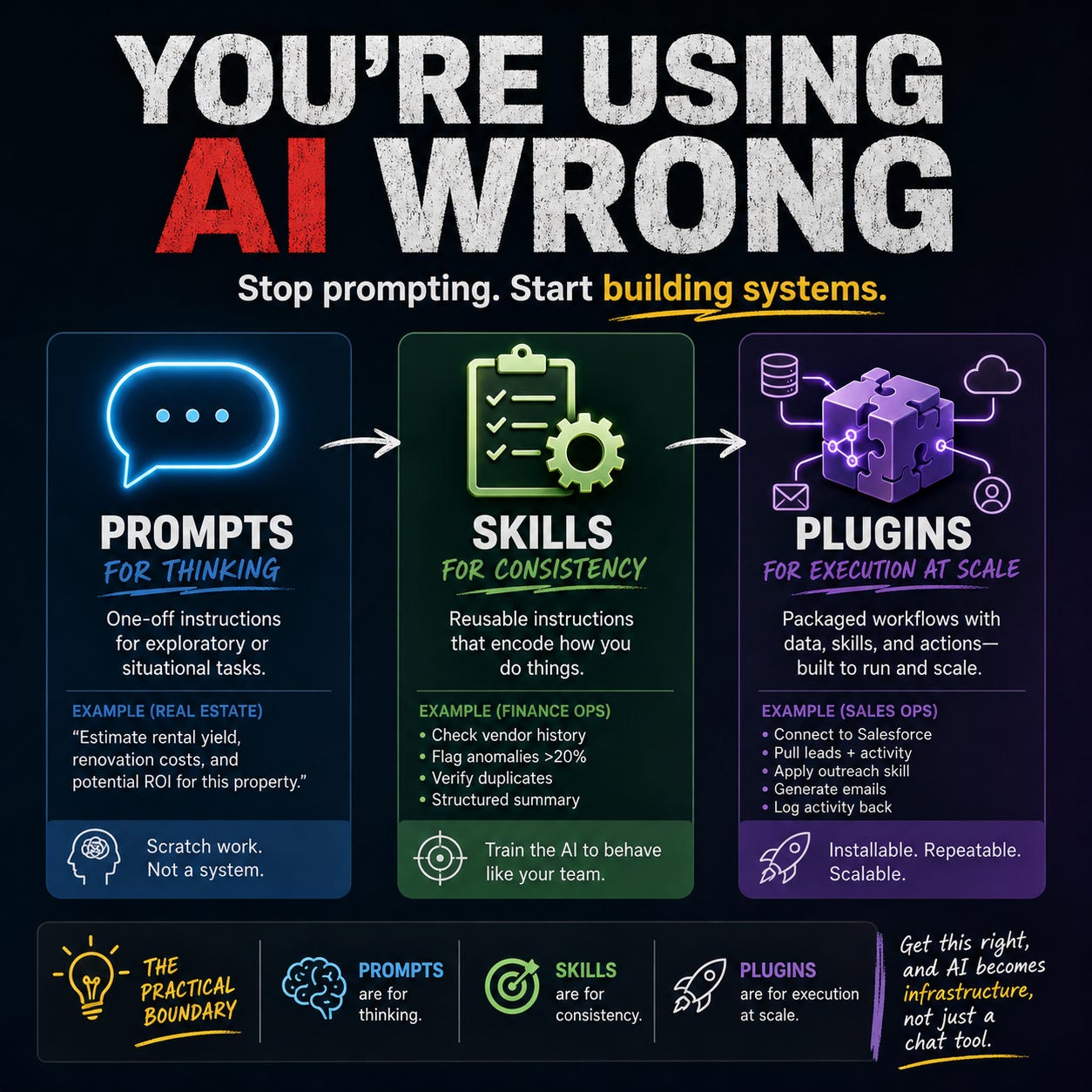
AI tools are getting smarter by the month, but most people are still using them in a surprisingly primitive way. They treat everything like a prompt—one-off instructions typed into a chat box—when in reality, prompts are just one layer of a much bigger system.
To really unlock leverage, you need to understand when to use prompts, when to formalize something into a skill, and when to package an entire workflow into a plugin. Each serves a different purpose, and confusing them is where a lot of wasted time creeps in.
Prompts: best for one-off thinking
A prompt is the simplest unit of interaction. It’s just a piece of text you give the model to get a result. Prompts are perfect when the task is temporary, exploratory, or unlikely to repeat in the exact same way.
Think of prompts as scratch work. You’re using the AI to think through something, not to define a system.
Real-world example (real estate investing):
You’re evaluating a property in Bryn Mawr and want a quick sanity check. You paste in the listing details and ask:
“Estimate rental yield, renovation costs, and potential ROI based on local comps.”
That’s a classic prompt. It’s situational, tied to a specific property, and not something you need to standardize. Tomorrow’s deal will look different, and you’ll likely rephrase the request anyway.
Where people go wrong is stretching prompts too far—turning them into long, repeated instructions they copy and paste daily. That’s the signal you’ve outgrown prompts.
Skills: encoding how you do things
A skill is what happens when you take a process you repeat and write it down clearly so the AI can follow it every time. It’s less about *what* you’re asking and more about *how* you want it done.
Skills are where you define your “house style”—your structure, your standards, your expectations.
Unlike prompts, skills are reusable. You don’t rewrite them each time; you invoke them.
Real-world example (finance operations):
Let’s say you manage AP workflows using Bill.com and review outgoing payments weekly.
Instead of prompting:
“Review these invoices and flag anything unusual…” every week, you create a skill:
- Always check vendor history for anomalies
- Flag invoices >20% above historical average
- Verify duplicate invoice numbers
- Summarize findings in a structured report (risks, approvals, notes)
Now every time you run this workflow, the AI applies the same logic. You’ve eliminated inconsistency and reduced cognitive load.
The key shift: you’re no longer “asking” the AI—you’re training it to behave like your team.
Plugins: packaging full workflows
A plugin is where things get serious. It’s not just instructions—it’s a fully packaged workflow that can include skills, prompts, live data connections, and even automated actions.
If a skill is a playbook, a plugin is the entire operating unit.
Plugins are what you build when a process needs to:
- Be reused across a team
- Pull in real data from systems
- Execute multiple steps reliably
- Produce consistent, production-grade output
Real-world example (sales operations):
Imagine a sales team using Salesforce.
Instead of manually:
- Pulling lead data
- Copying it into ChatGPT
- Asking for outreach drafts
- Editing and sending emails
You create a plugin:
- Connects to Salesforce (via MCP/connector)
- Pulls the latest leads with activity history
- Applies a “cold outreach” skill (tone, structure, personalization rules)
- Generates email drafts
- Optionally logs activity back into Salesforce
Now the workflow is no longer dependent on a person remembering steps. It’s installable, repeatable, and scalable across the team.
This is the moment where you stop being a user of AI and start becoming a builder of systems.
The practical boundary
A simple way to think about it:
- Prompts are for thinking
- Skills are for consistency
- Plugins are for execution at scale
If you’re copying and pasting the same prompt over and over, you need a skill.
If your skill depends on pulling data, enforcing rules, or coordinating multiple steps, you need a plugin.
One quick illustration:
A marketing manager writing a one-off campaign idea uses a prompt.
The same manager producing weekly campaign briefs uses a skill.
A marketing team generating, reviewing, and publishing campaigns from CRM data uses a plugin.
If you get these boundaries right, AI stops feeling like a chat tool and starts behaving like infrastructure.