
NOTES
Big Changes Coming to Windows, Office, and OneDrive
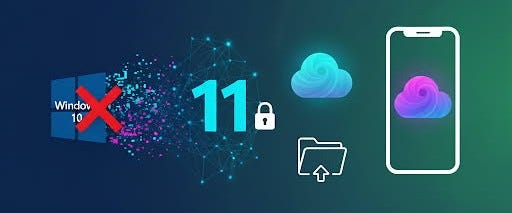
Microsoft is making major changes that will impact the way businesses and everyday users interact with their devices and files. If you’re running Windows 10, using Office, or relying on OneDrive, here’s what’s on the horizon — and why you need to start preparing now.
🔚 Windows 10 Support Ends October 14, 2025
Microsoft has officially announced that support for Windows 10 will end on October 14, 2025. After this date:
- No more security updates
- No more bug fixes
- No more technical support
Your PC will still turn on and run, but it will become increasingly vulnerable to security risks and compliance issues.
For those who aren’t ready to upgrade, Microsoft will offer an Extended Security Updates (ESU) program through October 2026. But here’s the catch: you’ll need to link your Windows 10 device to a Microsoft account to access these updates — local accounts alone won’t qualify.
🪪 Windows 11 Now Requires a Microsoft Account
If you’re moving to Windows 11, expect a tighter Microsoft ecosystem. The latest builds have closed off workarounds that allowed you to skip signing in with a Microsoft account during setup.
This means:
- A Microsoft account and internet connection are now required for installation.
- Skipping sign-in during setup will crash the process on new builds.
For businesses, this represents both an opportunity (centralized account management) and a headache (loss of flexibility).
☁️ Office Files Default to OneDrive
Microsoft is quietly shifting the default behavior of its Office apps. When you create a new document in Word, Excel, or PowerPoint, it will now save to OneDrive by default, with AutoSave turned on.
Unless you intentionally choose a local save location, your work will live in the cloud. This is part of Microsoft’s strategy to keep user data synced, backed up, and accessible from any device.
For some, this is a welcome safety net. For others — especially those who prefer local storage for speed or security — it’s a change worth noting.
🔄 A Revamped OneDrive Experience
Perhaps the biggest shake-up ahead is OneDrive itself. Microsoft is in the middle of a major overhaul of the platform, slated to roll out in 2026. Expect:
- A full-fledged Windows app with gallery and file-mode views (instead of just the old flyout)
- New photo-centric tools like People View (face recognition) and advanced editing features
- Deep AI Copilot integration to help you organize, search, and even auto-summarize files
This is more than a facelift — it’s Microsoft signaling that OneDrive will be the centerpiece of the modern Windows ecosystem.
Why This Matters
For everyday users, these changes mean less flexibility and more dependency on Microsoft’s cloud. For businesses, it underscores the importance of planning migrations, re-thinking storage strategies, and re-training staff to work in a cloud-first environment.
At Tech Targets, we help our clients on the Philadelphia Main Line navigate transitions like these — ensuring systems stay secure, staff workflows remain efficient, and no one gets caught off guard by policy changes from Microsoft.
Final Word
Microsoft’s direction is clear: cloud-first, account-linked, AI-powered.
Whether that’s good or bad depends on how prepared you are. If you’re still on Windows 10, using local-only storage, or relying on older Office workflows, now is the time to plan your move.
Sources: